









In life sciences and commercial analytics, fragmented data doesn’t just slow teams down—it creates risk. When every stakeholder pulls from a different source, decisions stop being decisions. They become guesses. Here’s how we fixed that without interrupting a single user.
The Challenge
The client was running a legacy application with more than 60,000 lines of fragmented code, several major components past end of support, and no clean path to modernization. The app’s core function was to present data in charts—but it was so limited that the most common user workaround was to export data to CSV and re-import it into other tools before sharing with teammates.
Sound familiar? It’s one of the most common patterns we see in commercial data environments: a system that technically exists, but practically gets bypassed at every step.
These scattered, disparate implementations were not always acting on the same data. A common source was needed—and if other applications were delivering the real value, why did users still need the legacy application at all?
The Central Question
Changing software tools is always harder than it looks. Even with a flawless migration path, you still need the new system running before you can switch. And in commercial operations—where teams depend on their tools daily—an interruption isn’t just inconvenient. It’s a business risk.
How could we keep the client fully operational while giving them the freedom to migrate at their own pace?
Enter Curator by InterWorks
With established integrations across enterprise reporting platforms, Curator was the ideal bridge. It could serve as a common home for new modern reports—and, critically, it could also embed the legacy application itself, presenting a single unified interface to every user.
From day one, users saw one application. Not two systems in transition. One experience.

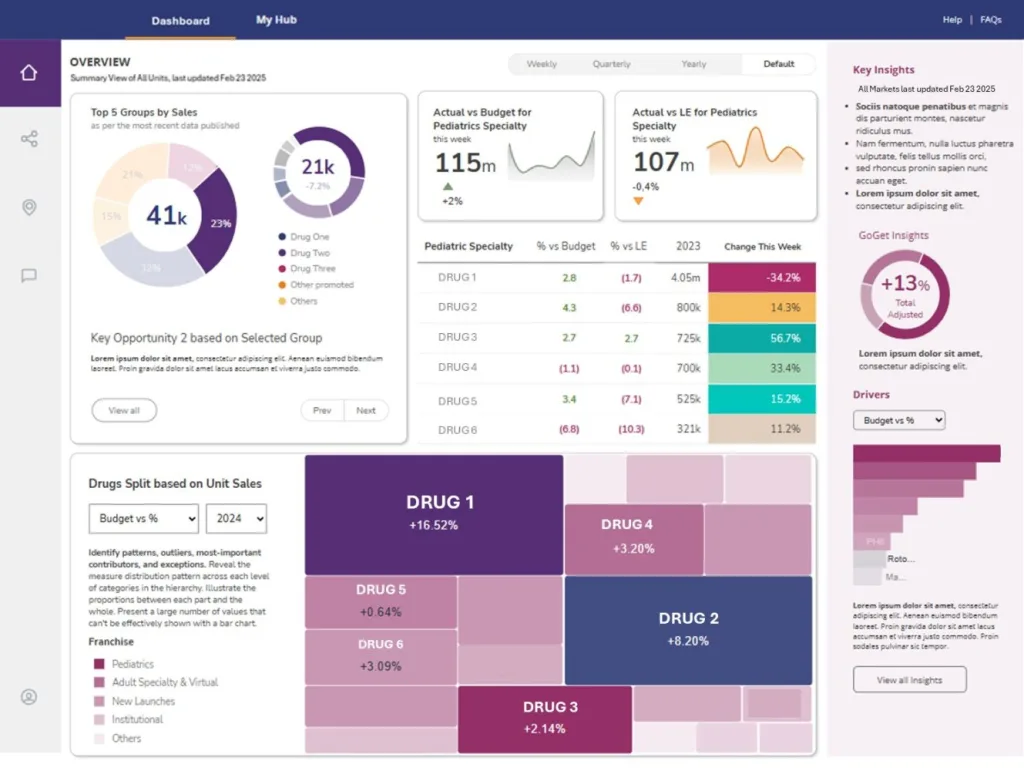
Curator acts as the unified front-end — the legacy application and modern BI tools appear side-by-side under one consistent interface.
How It Was Built
Each page of the legacy app was embedded in an iFrame on a Curator page, preserving 100% of existing functionality with zero data migration required.
The top nav was rebuilt to exactly mimic the legacy app — the transition was completely invisible to end users from day one.
Single sign-on unified authentication across the legacy app and all new reporting views — one login, one session, one experience.
Windows messaging enabled communication between Curator and the embedded app; Redis handled state persistence for key variables across the iFrame boundary.
A proof-of-concept Power BI report was placed alongside legacy views — giving users a live preview of the fully modernized experience to come.
The Result
The result is a unified, consistent enterprise application that brings together the legacy system and modern analytics platforms seamlessly. To every user, it simply looks like the familiar application—with some powerful new capabilities added.
The real value is strategic: a variable-length transition period with zero service interruption. No forced cutover. No data migration risk. No retraining required. The client can now retire legacy views and replace them with Power BI, Tableau, or ThoughtSpot views—one at a time, at their own pace.
When all views have been migrated, the legacy application is simply switched off. A fragile, expensive system is decommissioned and replaced with a robust, modern equivalent—while the business never missed a beat.
Zero downtime. No forced data migration. A unified experience from day one—and a clear path to full modernization on the client’s timeline.
Technologies & Partners